

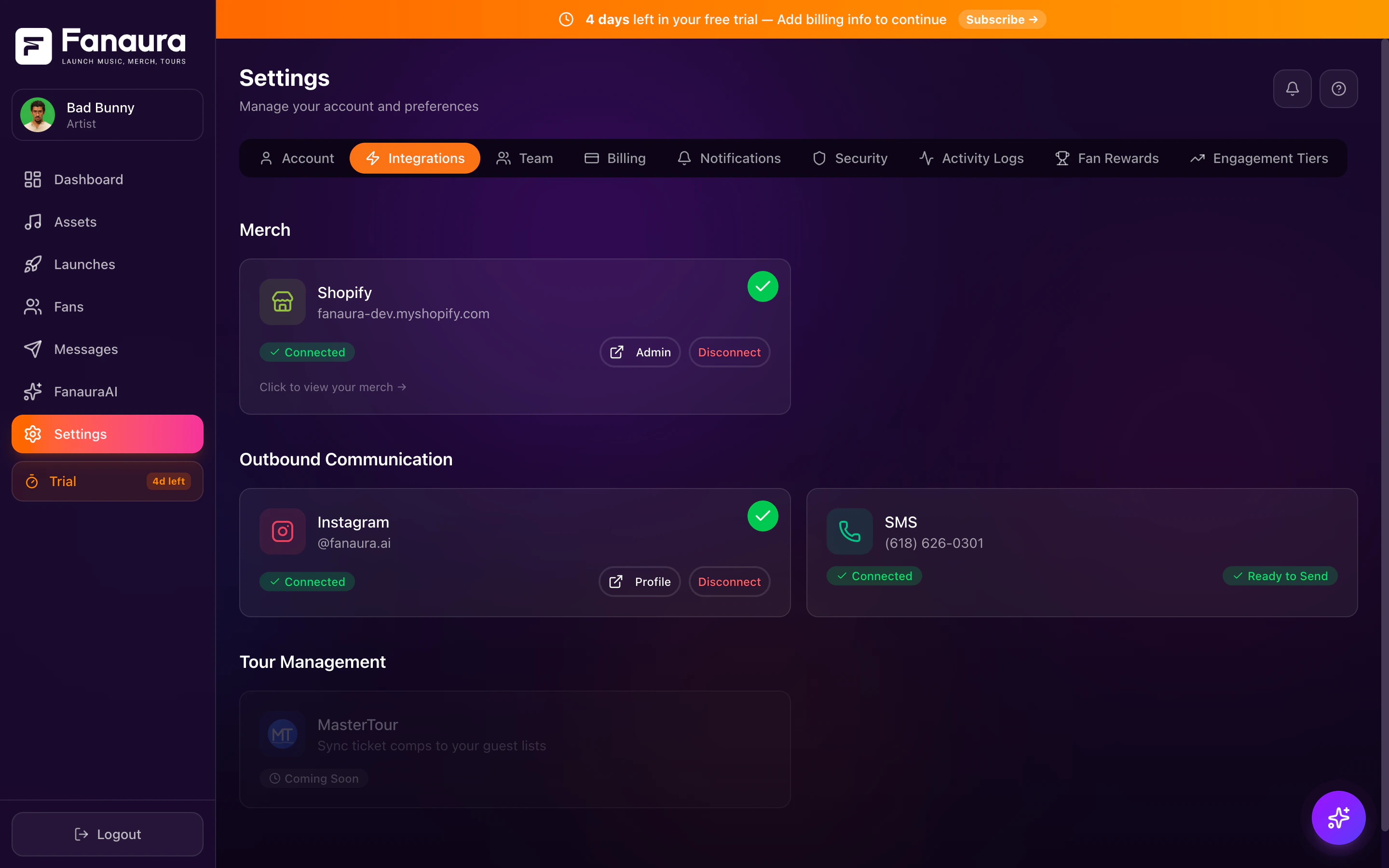
The Integrations page showing all available third-party connections and their status.
How to Access Integrations
You can reach the Integrations page two ways:1
Via Sidebar
Click Integrations in the left sidebar navigation.
2
Via Settings
Click Settings (gear icon), then select the Integrations tab.
Available Integrations
SMS
Provision a local 10DLC number for 2-way SMS, blasts, and flows. Throughput is batched per minute based on your line’s configured rate and carrier rules.
Automate Instagram DMs, comment-to-DM triggers, story responses, and keyword-based flow automation.
Spotify
Artist search and metadata lookup (read-only). Pre-saves use native notification, not Spotify OAuth.
Apple Music
Platform selection for native notification pre-save on release day.
Streaming Platforms
All 9+ DSPs for presaves and streaming links including YouTube Music, Tidal, Deezer, and more.
MasterTour
Sync tour dates and booking data from MasterTour into Fanaura. Coming soon.
Integration Categories
Messaging
Connect communication channels to reach fans directly.Music
Connect streaming and music platforms for presaves and analytics.Touring
Connect tour management platforms for booking and venue data.Merch (no store API)
Merch is managed in Assets > Merch — add a title, image, and external https product link. Fanaura does not connect to e-commerce platforms via API. See Adding Merch.Integration Status Indicators
On the Integrations page, each service shows its current connection status:- Connected (green): The integration is active and working.
- Not Connected (grey): The integration is available but not yet set up.
- Coming Soon (badge): The integration is planned but not yet available.
- Error (red): Something went wrong. Click to view details and troubleshoot.
What Each Integration Unlocks
Connecting an integration opens new capabilities throughout Fanaura:- SMS
- Instagram
- Spotify
- Apple Music
- Send SMS blasts to opted-in fans
- Add SMS actions to your flows
- 2-way fan conversations in the Fans page
- SMS campaign sending (batched per your number’s messages-per-minute setting)
Setup Process
Each integration has its own setup flow, but they generally follow the same pattern:1
Navigate
Go to the Integrations page.
2
Select
Click the integration you want to connect.
3
Authorize
Authorize via OAuth (for Instagram, Spotify) or follow the provisioning flow for SMS.
4
Configure
Adjust any settings specific to that integration.
5
Verify
Confirm the connection is active (green status).
Disconnecting Integrations
If you need to disconnect a service:1
Open Integrations
Go to the Integrations page.
2
Select the Integration
Click on the connected integration.
3
Disconnect
Click Disconnect and confirm the action.
- The integration stops syncing data.
- Existing data (fan interactions, etc.) is preserved in Fanaura.
- Flows using that integration’s actions will not be able to send (those actions will error).
- You can reconnect at any time.
Permissions and Access
Not all team members can manage integrations:Best Practices
Test after connecting. After each integration, run a quick test — send a test SMS or verify Instagram webhook delivery.