

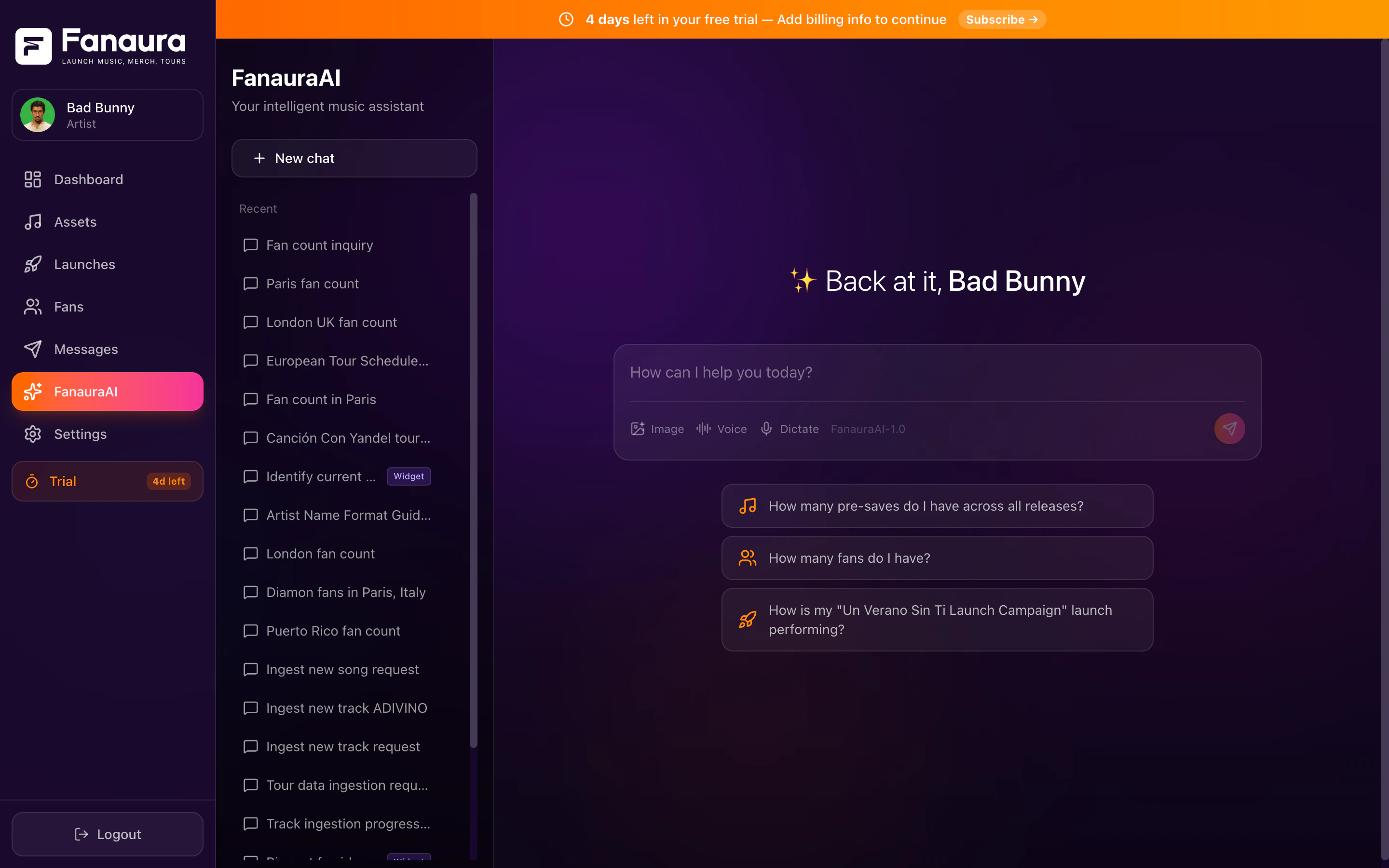
Aura Chat showing data cards and insights powered by your actual artist data.
Artist Basic includes Aura Advisor. Artist Pro includes Aura Manager for goal-directed campaign execution. Open Aura Chat at
/chat in the app (legacy /ai URLs redirect there).What Makes Aura Chat Different
Most AI assistants are general-purpose. They can summarize an article, but they do not know anything about your career. Aura Chat queries your fan database, release catalog, and campaign history directly. When you ask “How many fans do I have in Texas?”, it returns the exact number from your account. When you ask “How is my new single performing?”, it pulls presave counts, conversion rates, and engagement data.Full Data Context
Fans, releases, tours, merch, campaigns, flows, and settings. Aura Chat sees all of it.
Integrated Tools
Query data, create assets, analyze metrics, find fans, build tours, and more through 113 integrated tools.
Real-Time Data
Live data from your account, not a stale export.
Action Capabilities
Aura Chat can create releases, build tours, update your profile, add fans to lists, and start flows.
Aura Advisor vs Aura Manager
Both labels refer to the same Aura Chat system. The plan determines how much autonomous campaign work is available.
The Chat Interface
Aura Chat lives in the Chat section of your dashboard (/chat).
Conversation area
Type your question in the input field and press Enter. Responses stream in real time and can include formatted tables, song cards, fan profiles, event cards, and map visualizations.Thinking steps
For complex questions, Aura Chat shows expandable thinking steps: which tools it is using, which data it is querying, and how it reaches an answer.Voice support
- Speech-to-text: click the microphone and speak your question.
- Text-to-speech: Aura Chat can read responses aloud for hands-free use.
Sidebar: Conversation History
The left sidebar lists past conversations:- Search by keyword
- Rename conversations for easy reference
- Delete conversations (recoverable for 30 days)
What You Can Do With Aura Chat
- Ask Questions
- Take Actions
- Get Insights
Get instant answers about any part of your Fanaura data:
- Fan counts, segments, and demographics
- Release performance and presave metrics
- Tour dates and RSVP numbers
- Campaign analytics and engagement stats
- Merch click tracking
- Flow completion rates
Response cards
When Aura Chat returns specific data, it often presents rich cards:Song Cards
Artwork, title, presave counts, platform links.
Fan Profile Cards
Name, VIP tier, location, engagement history.
Event Cards
Venue, date, city, RSVP count, ticket link.
Map Cards
Geographic visualization of fan locations.
Chat Management
1
Start a new conversation
Click New Chat in the sidebar for a fresh thread.
2
Rename conversations
Use the three-dot menu and select Rename.
3
Delete conversations
Deleted conversations enter a 30-day recovery window before permanent removal.
4
Search conversations
Use the sidebar search bar to find past threads by keyword.
Getting Started
Try these first questions:- “How many fans do I have?”
- “Show me my latest release”
- “What are my top cities?”
- “Help me create a new release”
What You Can Ask
Queries and actions by category.
Tour Builder
Paste routing data and let Aura Chat build your tour.
Music Ingestion
Create releases with the interactive wizard.
Tips and Best Practices
Get better results from Aura Chat.