

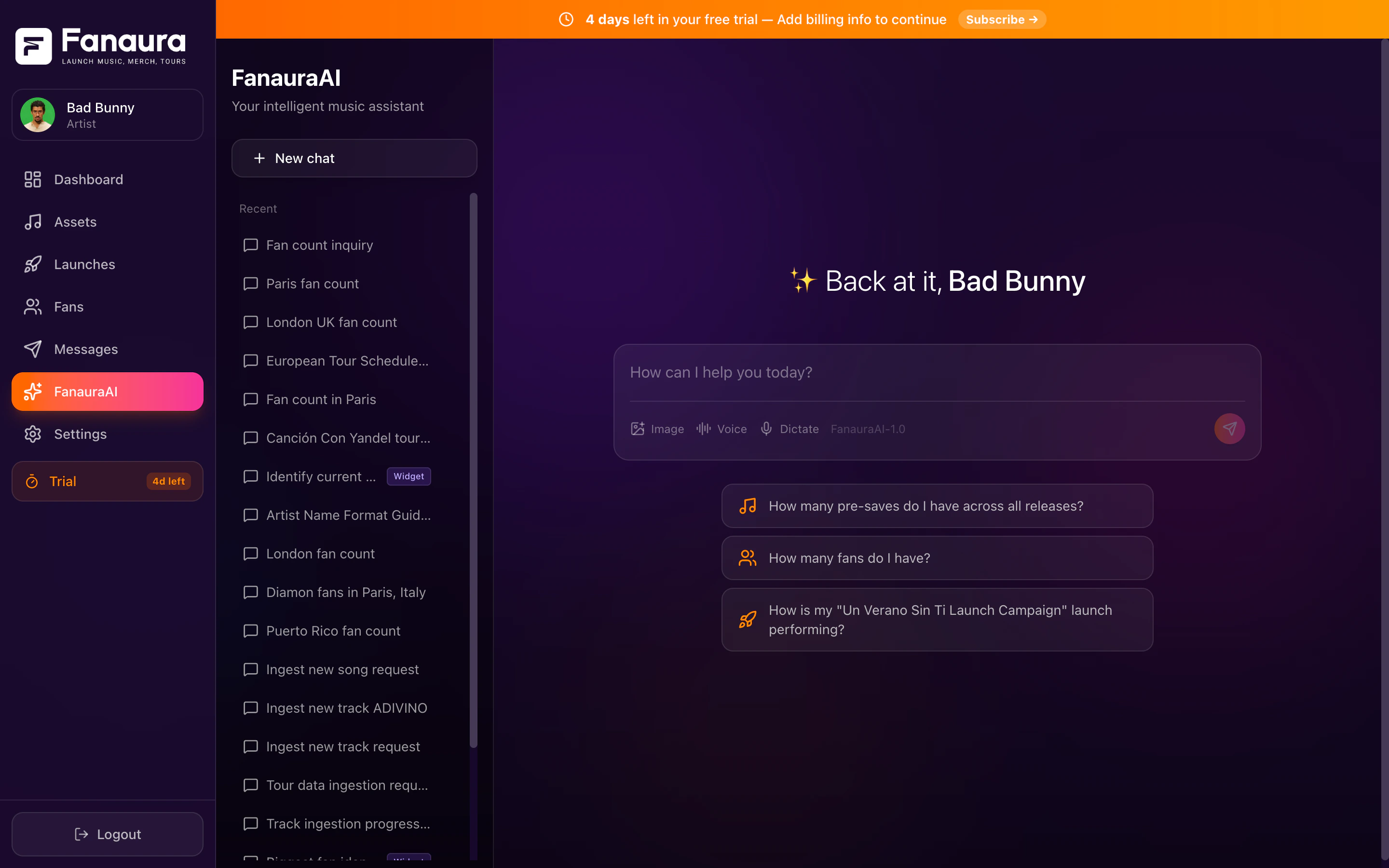
Aura Chat where you can ask questions about your fans, releases, tours, and campaigns.
This guide covers the major categories of things you can ask, with real examples for each. You can combine any of these queries naturally — Aura understands context.
Fan Queries
Your fans are the heart of everything you do. Aura gives you instant access to your entire fan database.Counting and Segmenting
Counting and Segmenting
- “How many fans do I have?”
- “How many fans signed up this month?”
- “What’s my fan growth over the last 90 days?”
- “How many fans opted in to SMS?”
Finding Specific Fans
Finding Specific Fans
- “Show me fans in California”
- “Find fans in Nashville who pre-saved my latest single”
- “Who are my Diamond tier fans?”
- “Show me fans who bought merch in the last 30 days”
- “Find fans in the UK”
Fan Demographics
Fan Demographics
- “What are my top cities by fan count?”
- “What countries are my fans in?”
- “Show me a breakdown of fans by VIP tier”
- “Where are most of my fans located?”
Fan Activity
Fan Activity
- “Which fans engaged with my last email blast?”
- “Who RSVPed for my Austin show?”
- “Show me fans who have both presaved and bought merch”
- “Who are my most active fans this quarter?”
Music Queries
Track how your releases are performing and manage your catalog.Release Performance
Release Performance
- “How many presaves does my new single have?”
- “What’s the conversion rate on my latest release?”
- “Show me my top performing release”
- “How are presaves trending for ‘Midnight Drive’?”
Catalog Information
Catalog Information
- “Show me all my releases”
- “What was my last release?”
- “Show me the details for ‘Midnight Drive’”
- “When does my next single drop?”
Streaming Data
Streaming Data
- “What streaming platforms are my fans using?”
- “Show me my Spotify listener data”
- “Which release has the most streams?”
Platform Lookups
Platform Lookups
- “Look up ISRC US1234567890 on Spotify”
- “Find my song on Apple Music”
- “Check if my new single is live on streaming platforms”
Tour Queries
Manage your tour dates and understand your touring data.Viewing Tour Dates
Viewing Tour Dates
- “Show me all my upcoming tour dates”
- “What’s my next show?”
- “Show me my March tour dates”
- “List all my shows in Texas”
Tour Analytics
Tour Analytics
- “Which events have the most RSVPs?”
- “How many fans are in the cities I’m touring?”
- “Show me RSVP counts for my current tour”
- “Which shows are selling the best?”
Tour Planning
Tour Planning
- “How many fans do I have in Denver?”
- “Show me my top 10 cities — I’m planning a tour”
- “Where should I add tour dates based on fan concentration?”
Campaign Queries
Understand how your marketing is performing.Blast Performance
Blast Performance
- “How is my latest email blast performing?”
- “What was the open rate on my last campaign?”
- “Show me stats for my ‘New Album’ blast”
- “How many people clicked the link in my last SMS?”
Flow Performance
Flow Performance
- “What’s the completion rate on my pre-release flow?”
- “How many fans are currently in my welcome flow?”
- “Which flow has the highest engagement?”
- “Show me all active flows”
General Activity
General Activity
- “Show me recent activity”
- “What happened in my account this week?”
- “Give me a status update”
Campaign analytics are returned as summary cards with key metrics highlighted — open rates, click rates, completion rates, and delivery stats.
Analytics and Insights
Ask Aura for big-picture analysis and comparisons.- Summaries
- Comparisons
- Trends
- “Give me a summary of my engagement this month”
- “How’s my account doing?”
- “What are the highlights from this quarter?”
- “Give me a quick rundown of everything”
Aura synthesizes data across multiple sources to give you narrative insights. Comparisons often include side-by-side metrics and a plain-English interpretation of what the numbers mean.
Actions — Aura Can DO Things Too
Aura isn’t just for questions. It can take actions on your behalf.Create a Music Release
Say “Create a new release” or “Help me set up a presave” to launch the interactive Music Ingestion Wizard.
Build a Tour
Say “Build a tour from this routing” and paste your dates. Aura parses everything automatically.
Update Your Profile
Say “Update my bio” or “Change my artist name” to enter profile editing mode.
Manage Fans
Say “Add this fan to my VIP list” or “Tag this fan as a merch buyer” to modify fan records.
Lookups and Research
- “Look up this ISRC on Spotify and Apple Music”
- “Find streaming links for my song”
- “Check if my new single is available on Tidal”
AI Response Cards
When Aura returns specific data, it often uses rich visual cards to make the information easy to digest:- Song Cards
- Fan Profile Cards
- Event Cards
- Map Cards
Beautiful cards showing:
- Album artwork (large, high-quality)
- Song title and artist name
- Presave or stream count
- Release date
- Platform links (Spotify, Apple Music, etc.)
- Status (presave active, released, etc.)